
 SpectraDx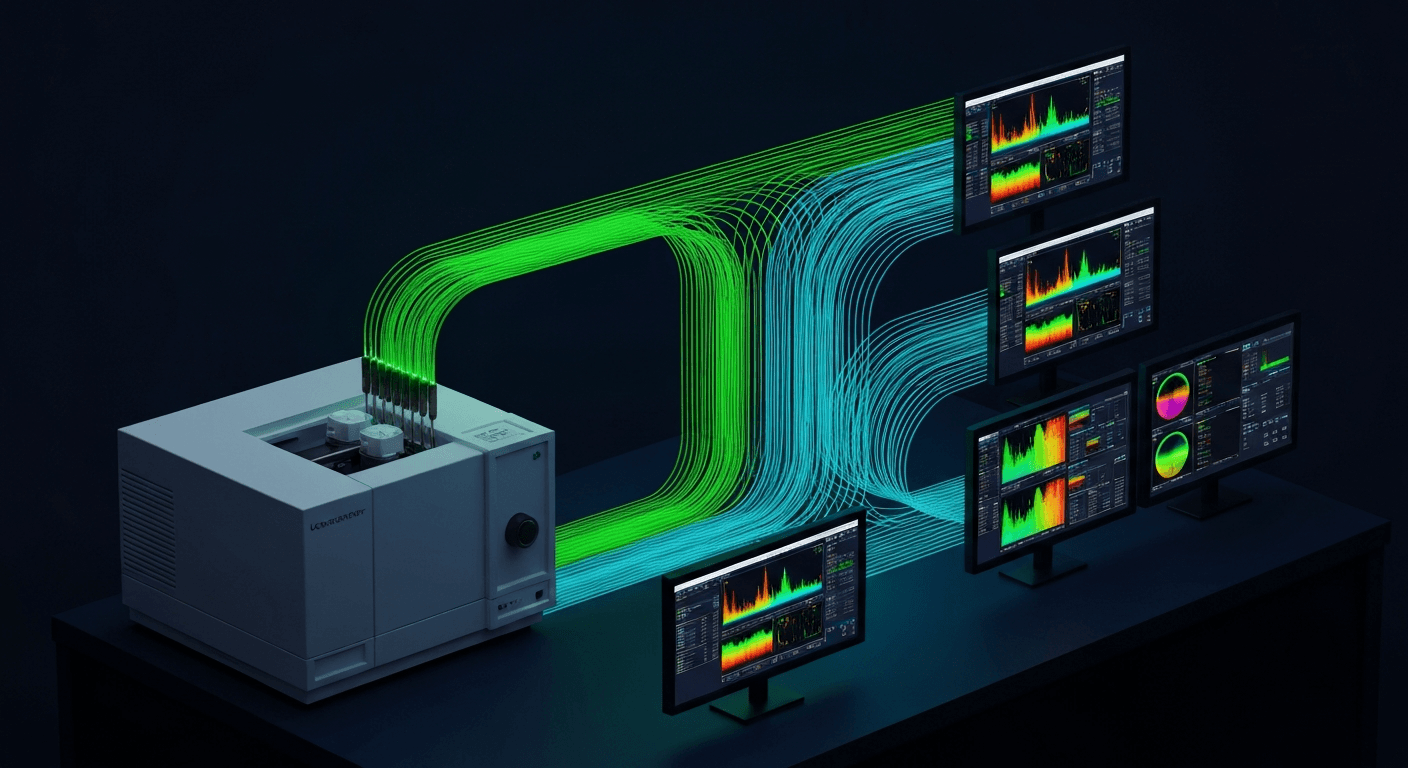
A chemistry analyzer measures glucose concentration and sends the result to the LIMS. A hematology analyzer counts white blood cells and sends the result to the LIMS. An FTIR spectrometer acquires a 3,734-point absorbance spectrum, runs it through a classification model, and... then what?
This is the integration gap that every lab faces when deploying spectroscopy-based diagnostics. Traditional clinical analyzers speak the LIMS's language natively - they output results over ASTM E1394 serial links or HL7v2 TCP connections, with structured result codes that slot directly into the LIMS test catalog. Spectrometers do not. They output proprietary spectral files (Bruker OPUS, Thermo SPC, Renishaw WDF) containing thousands of data points that mean nothing to a LIMS without an intermediate classification step.
This article covers the full integration stack: the protocols available (ASTM, HL7, FHIR), the middleware architectures that bridge the gap, the data flow from instrument acquisition through classification to LIMS result filing, and the vendor-specific considerations for connecting to LabWare, STARLIMS, Thermo SampleManager, LabVantage, and Orchard/Clinisys Harvest. If you are an integration engineer tasked with connecting a spectrometer to a LIMS, this is your roadmap.
Why spectroscopy-to-LIMS integration is different
The fundamental mismatch: traditional clinical analyzers produce discrete numeric results that map directly to LIMS result fields. Glucose = 95 mg/dL is a single value with a unit and a reference range. A LIMS result record stores exactly that.
Spectroscopy instruments produce continuous spectral data - thousands of intensity values across a wavenumber or wavelength range. This raw spectrum must be classified by a trained model (PLS-DA, SVM, random forest, neural network) before it becomes a discrete result that a LIMS can accept. The classification step does not exist in the traditional analyzer workflow.
This creates five unique challenges:
-
No native protocol support. Most spectrometers were designed for research, not clinical workflows. They output files (
.0,.spc,.wdf,.dx), not ASTM frames or HL7 messages. The integration layer must translate between file-based output and message-based protocols. -
A classification engine must sit in the middle. Between "spectrum acquired" and "result sent to LIMS," a trained ML model must interpret the spectrum. This adds a processing step, a failure mode, and a validation requirement that does not exist for traditional analyzers.
-
Result structure does not fit. A spectral classification result is probabilistic: "Strep A Positive, 97.3% confidence, top-3 candidates: S. pyogenes (97.3%), S. dysgalactiae (1.8%), S. anginosus (0.9%)." ASTM R-records and HL7 OBX segments expect a single coded value with optional reference ranges. Multi-class probabilities, confidence scores, and spectral quality metrics need creative encoding.
-
The raw spectrum needs to go somewhere. The LIMS stores the classification result. But the raw spectrum - the primary data - also needs to be archived for regulatory compliance, model retraining, and troubleshooting. Most LIMS are not designed to store 3,000-point arrays.
-
No standardized test codes. LOINC and SNOMED CT do not yet have comprehensive codes for spectroscopy-based diagnostic classifications. You will need local codes and a process for requesting new LOINC codes from Regenstrief.
Integration protocols
Three protocols are relevant for spectroscopy-to-LIMS communication. They are not mutually exclusive - a production deployment often uses more than one.
ASTM E1394 / CLSI LIS2-A2: the legacy standard
ASTM E1394 (now maintained by CLSI as LIS2-A2) defines a message format for communication between clinical instruments and information systems. Its companion standard, LIS01-A2 (formerly ASTM E1381), defines the low-level transport protocol.
The transport layer uses a framed protocol with control characters:
Session: ENQ → ACK → [frames] → EOT

Frame:   <STX><FN><Record Data><CR><ETX><C1><C2><CR><LF>

Where:
  STX (0x02) = Start of frame
  FN         = Frame number (1-7, cycling)
  ETX (0x03) = End of frame (final frame in record)
  ETB (0x17) = End of frame (intermediate, more frames follow)
  C1 C2      = Checksum (modulo-256 of bytes from FN through ETX/ETB)
  ENQ (0x05) = Request to send
  ACK (0x06) = Acknowledgment
  NAK (0x15) = Negative acknowledgment (retry)
  EOT (0x04) = End of transmission
The message layer defines record types with pipe-delimited fields:
| Record | ID | Purpose | Example |
|---|---|---|---|
| Header | H | Session metadata | H|\^&|||SpectraDx^FTIR^1.0|||||||P|LIS2-A2|20260508142500 |
| Patient | P | Patient demographics | P|1|||DOE^JANE^M|||19850315|F |
| Order | O | Test order info | P|1|||DOE^JANE^M|||19850315|F |
| Result | R | Test result | R|1|^^^FTIR-STREP|10828004^Positive^SCT|||F |
| Comment | C | Free text annotation | C|1|I|Confidence: 97.3%. SNR: 42.8 |
| Terminator | L | End of message | L|1|N |
ASTM was originally designed for RS-232 serial connections (9600 baud, 8N1). Modern implementations run the same framing protocol over TCP/IP sockets. The ENQ/ACK handshake, frame numbering, and checksum verification remain identical.
For spectroscopy: ASTM is relevant when connecting to older LIMS that expect serial or TCP-based instrument communication. Many smaller clinical LIMS (Orchard Harvest, some LabWare configurations) still use ASTM for instrument interfaces. The protocol works, but mapping spectral classification results into ASTM R-records requires careful encoding of confidence scores and quality metrics.
Here is how to encode a spectral result as an ASTM message in Python:
def build_astm_result(
    patient_name: str,
    patient_dob: str,
    specimen_id: str,
    test_code: str,
    result_code: str,
    result_display: str,
    result_system: str,
    confidence: float,
    snr: float,
    status: str = "F",
) -> list[str]:
    """Build ASTM LIS2-A2 records for a spectral classification result."""

    records = []

    # Header
    records.append(
        "H|\\^&|||SpectraDx^FTIR^1.0|||||||P|LIS2-A2|"
        + _timestamp()
    )

    # Patient
    last, first, mid = _parse_name(patient_name)
    records.append(f"P|1|||{last}^{first}^{mid}|||{patient_dob}|")

    # Order
    records.append(
        f"O|1|{specimen_id}||^^^{test_code}|R||{_timestamp()}||||A"
    )

    # Result - primary classification
    records.append(
        f"R|1|^^^{test_code}|{result_code}^{result_display}^{result_system}"
        f"||||{status}|||{_timestamp()}"
    )

    # Comment - confidence score and spectral quality
    records.append(
        f"C|1|I|Classification confidence: {confidence:.1f}%. "
        f"Spectral SNR: {snr:.1f}. "
        f"Model: FTIR-STREP-v2.1"
    )

    # Terminator
    records.append("L|1|N")

    return records


def _timestamp() -> str:
    from datetime import datetime
    return datetime.now().strftime("%Y%m%d%H%M%S")


def _parse_name(name: str) -> tuple[str, str, str]:
    parts = name.split()
    if len(parts) >= 3:
        return parts[-1], parts[0], parts[1]
    elif len(parts) == 2:
        return parts[-1], parts[0], ""
    return name, "", ""
The ASTM transport wrapper adds framing around each record:
import socket

STX = b"\x02"
ETX = b"\x03"
EOT = b"\x04"
ENQ = b"\x05"
ACK = b"\x06"
CR = b"\x0d"
LF = b"\x0a"


def send_astm_message(
    records: list[str],
    host: str,
    port: int,
    timeout: float = 30.0,
):
    """Send ASTM records over TCP with LIS01-A2 framing."""

    with socket.socket(socket.AF_INET, socket.SOCK_STREAM) as sock:
        sock.settimeout(timeout)
        sock.connect((host, port))

        # Establish session
        sock.sendall(ENQ)
        resp = sock.recv(1)
        if resp != ACK:
            raise ConnectionError(f"ASTM session rejected: {resp!r}")

        # Send each record as a frame
        for i, record in enumerate(records):
            frame_num = str((i % 7) + 1).encode()
            frame_data = record.encode("ascii") + CR
            checksum = _calculate_checksum(frame_num + frame_data + ETX)

            frame = (
                STX + frame_num + frame_data + ETX
                + checksum + CR + LF
            )
            sock.sendall(frame)

            resp = sock.recv(1)
            if resp != ACK:
                raise ConnectionError(
                    f"Frame {i} NAK'd by receiver: {resp!r}"
                )

        # End session
        sock.sendall(EOT)


def _calculate_checksum(data: bytes) -> bytes:
    """LIS01-A2 checksum: sum of bytes modulo 256, as 2 hex chars."""
    total = sum(data) % 256
    return f"{total:02X}".encode("ascii")
HL7v2: the hospital standard
HL7v2 ORU^R01 is the dominant protocol for clinical lab results in US hospitals. We cover it in detail in our HL7v2 spectroscopy integration guide. The key points for LIMS integration:
- HL7v2 uses MLLP (Minimal Lower Layer Protocol) for transport - messages are wrapped with start (0x0B) and end (0x1C 0x0D) bytes over a TCP connection.
- Most LIMS accept HL7v2 results via inbound MLLP listeners.
- The ORU^R01 message structure (MSH, PID, PV1, OBR, OBX segments) can carry spectral classification results as coded values with supporting confidence scores.
- Spectral quality metrics and secondary classifications go in additional OBX segments.
HL7v2 is the right protocol when your LIMS integration point is a hospital LIS (Epic Beaker, Oracle Health/Cerner Millennium PathNet, Sunquest) or when the LIMS has an HL7 interface engine (Mirth Connect, Rhapsody) as its primary ingest mechanism.
FHIR R4: the modern approach
FHIR R4 provides a REST/JSON-based alternative for labs that have invested in FHIR infrastructure. We cover the full resource mapping and working code in our FHIR R4 spectroscopy guide.
FHIR is the right protocol when:
- The LIMS has a FHIR R4 API for result ingestion (LabWare v8, some STARLIMS configurations)
- You are integrating directly with an EHR (Epic, Oracle Health) that accepts FHIR DiagnosticReport resources
- You are building a greenfield system and want to avoid legacy protocol debt
In practice, most spectroscopy deployments in 2026 use HL7v2 or ASTM for the instrument-to-LIMS channel and FHIR for the LIMS/EHR-to-application channel.
Middleware architecture patterns
The spectroscopy-to-LIMS pipeline requires middleware - software that sits between the instrument and the LIMS, handling file parsing, classification, protocol translation, and error recovery. There are three architectural patterns.
Pattern 1: Point-to-point
Instrument → [Custom Script] → LIMS
A Python script watches the instrument's output directory, parses new spectral files, runs the classification model, and sends the result directly to the LIMS via ASTM or HL7.
Advantages: Simple. No additional infrastructure. Works for a single-instrument, single-LIMS deployment.
Disadvantages: Does not scale. Each instrument-LIMS pair requires a separate script. No centralized monitoring, audit logging, or error queue. If the script crashes, results are silently lost.
When to use: Proof of concept. Single-instrument pilot. Non-clinical (research) deployments where data loss is tolerable.
Pattern 2: Integration engine (hub-and-spoke)
Instrument A ─┐
Instrument B ─┤→ [Integration Engine] → LIMS
Instrument C ─┘         │
                         └→ EHR
                         └→ Data Warehouse
An integration engine - Mirth Connect (NextGen Connect), Rhapsody, or InterSystems Health Connect - serves as the central hub. Each instrument connects to the hub via a file-watcher channel or direct TCP connection. The hub routes results to the LIMS, EHR, and any other downstream systems.
Mirth Connect is the most common choice for mid-size labs. It is open-source (though NextGen has moved to a proprietary license starting with v4.6), Java-based, and supports HL7v2, ASTM, FHIR, XML, JSON, and file-based ingestion. Each integration is a "channel" with a source connector, JavaScript transformers, and destination connectors.
A typical Mirth channel for spectroscopy:
Source: File Reader
  → Watches /instrument/output/ for new .0 files
  → Polls every 5 seconds

Source Transformer (JavaScript):
  → Parse OPUS file (call Python classification service via HTTP)
  → Build HL7 ORU^R01 message from classification result
  → Map patient MRN from specimen barcode

Destination: TCP Sender (MLLP)
  → Send HL7 message to LIMS on port 2575
  → Expect ACK response
  → Queue failed messages for retry
Rhapsody is the enterprise alternative - commercial, vendor-supported, and consistently ranked top in KLAS for integration engines. Its route-based architecture (vs. Mirth's channel-based) and multi-tenant "locker" isolation make it better suited for large health systems managing 50+ interfaces. Higher upfront cost, better out-of-box governance and audit trails.
When to use: Production deployments with multiple instruments, multiple downstream systems, or regulatory requirements for audit logging and error recovery. This is the architecture for any clinical deployment.
Pattern 3: Custom middleware with integration engine
Instrument A ─┐
Instrument B ─┤→ [Custom Middleware] → [Integration Engine] → LIMS
Instrument C ─┘    (classification)        (routing)          EHR
This is the pattern SpectraDx uses. Custom middleware handles the spectroscopy-specific work - file parsing, spectral preprocessing, ML classification, quality validation, and result formatting. The integration engine handles the standard healthcare IT work - HL7/ASTM transport, message routing, retry logic, and audit logging.
This separation makes sense because the spectroscopy layer requires domain expertise (spectral preprocessing, model inference, quality metrics) that integration engines do not provide, while the healthcare integration layer requires protocol compliance and reliability engineering that custom code should not reinvent.
When to use: Any deployment where spectral classification is part of the data flow. The classification engine is not optional - it is the step that turns raw spectral data into clinically meaningful results.
Data flow: instrument to LIMS
Here is the complete data flow for a spectroscopy-to-LIMS integration, annotated with the technology at each step:
┌─────────────────────────────────────────────────────────────┐
│ 1. INSTRUMENT ACQUISITION                                   │
│    Spectrometer acquires spectrum → saves .0/.spc/.wdf file │
│    Technology: Instrument vendor software (OPUS, OMNIC,     │
│    LabSpec, WiRE)                                           │
└──────────────┬──────────────────────────────────────────────┘
               │ File output to watched directory
               ▼
┌─────────────────────────────────────────────────────────────┐
│ 2. FILE DETECTION                                           │
│    File watcher detects new spectral file                   │
│    Technology: Custom service, Mirth File Reader, or OS     │
│    file system events (inotify/ReadDirectoryChanges)        │
└──────────────┬──────────────────────────────────────────────┘
               │ File path + metadata
               ▼
┌─────────────────────────────────────────────────────────────┐
│ 3. SPECTRAL PARSING                                         │
│    Parse vendor-specific format → extract wavenumber +      │
│    intensity arrays + metadata                              │
│    Technology: brukeropus, spc-spectra, renishawWiRE, jcamp │
│    See: spectral data formats reference (/blog/spectral-    │
│    data-formats)                                            │
└──────────────┬──────────────────────────────────────────────┘
               │ Normalized spectrum (numpy arrays)
               ▼
┌─────────────────────────────────────────────────────────────┐
│ 4. PREPROCESSING                                            │
│    Baseline correction → smoothing → normalization →        │
│    region cropping                                          │
│    Technology: scipy, numpy, custom pipeline                │
│    See: Python FTIR tutorial (/blog/automating-ftir-python) │
└──────────────┬──────────────────────────────────────────────┘
               │ Preprocessed spectrum
               ▼
┌─────────────────────────────────────────────────────────────┐
│ 5. CLASSIFICATION                                           │
│    Trained ML model classifies spectrum → returns label +   │
│    confidence + top-N candidates                            │
│    Technology: scikit-learn, TensorFlow, ONNX Runtime       │
│    See: AI spectral classification (/blog/ai-spectral-      │
│    classification)                                          │
└──────────────┬──────────────────────────────────────────────┘
               │ Classification result object
               ▼
┌─────────────────────────────────────────────────────────────┐
│ 6. QUALITY VALIDATION                                       │
│    Check confidence threshold, spectral SNR, model version, │
│    QC status. Flag low-confidence or low-quality results    │
│    for manual review.                                       │
└──────────────┬──────────────────────────────────────────────┘
               │ Validated result (final or flagged)
               ▼
┌─────────────────────────────────────────────────────────────┐
│ 7. RESULT TRANSLATION                                       │
│    Convert classification result → ASTM R-records or        │
│    HL7 ORU^R01 message or FHIR DiagnosticReport             │
│    Technology: Custom code or integration engine transformer│
│    See: HL7v2 guide (/blog/hl7v2-spectroscopy),            │
│    FHIR guide (/blog/fhir-r4-spectroscopy)                 │
└──────────────┬──────────────────────────────────────────────┘
               │ Protocol-formatted message
               ▼
┌─────────────────────────────────────────────────────────────┐
│ 8. LIMS INGESTION                                           │
│    Message delivered to LIMS via MLLP (HL7), TCP (ASTM),   │
│    or REST (FHIR). ACK received and logged.                │
│    Technology: Mirth Connect, Rhapsody, custom TCP client   │
└──────────────┬──────────────────────────────────────────────┘
               │ ACK / confirmation
               ▼
┌─────────────────────────────────────────────────────────────┐
│ 9. RAW DATA ARCHIVAL                                        │
│    Original spectral file + metadata archived to SDMS,      │
│    cloud storage, or LIMS attachment field.                  │
│    Required for regulatory compliance and model retraining. │
└─────────────────────────────────────────────────────────────┘
Steps 1-6 are spectroscopy-specific. Steps 7-8 are standard healthcare integration. Step 9 is unique to spectroscopy - traditional analyzers do not produce raw data artifacts that need separate archival.
Bidirectional workflows
The data flow above is unidirectional: instrument → LIMS. Production deployments are bidirectional - the LIMS also sends work orders downstream to the instrument.
LIMS → Instrument: work order flow
EHR order (HL7 ORM^O01)
    → LIMS receives order, creates sample, assigns accession
    → LIMS generates worklist (pending tests by instrument)
    → Worklist transmitted to instrument middleware
    → Middleware displays pending tests on clinician UI
    → Clinician selects test, places specimen, triggers acquisition
The worklist can be transmitted as:
- HL7v2 OML^O21 (Order Message for Lab) - the modern approach
- ASTM host query - the instrument polls the LIMS for pending orders
- File-based worklist - LIMS writes a CSV/XML worklist file that the instrument middleware reads
- FHIR ServiceRequest query - middleware polls
GET /ServiceRequest?status=active&performer=Device/{instrument-id}
For spectroscopy, the worklist drives the clinician UI: it shows which patients have pending tests, pre-populates the patient context (MRN, name, ordering physician), and associates the acquired spectrum with the correct order when the measurement completes.
Auto-verification
After the LIMS receives a spectral classification result, it may apply auto-verification rules before releasing the result to the EHR. Auto-verification checks whether the result can be released without manual review.
Common auto-verification rules for spectroscopy results:
| Rule | Check | Fail Action |
|---|---|---|
| Confidence threshold | confidence >= 95.0% | Hold for pathologist review |
| Spectral quality | SNR >= 20.0 | Reject - request re-acquisition |
| Delta check | Result differs from patient's prior result | Flag for review |
| QC status | Instrument QC passed within last 8 hours | Hold all results |
| Critical value | Result is a critical pathogen (e.g., MRSA) | Auto-release but trigger critical alert |
| Model version | Classification model matches validated version | Hold for IT review |
Auto-verification is configured in the LIMS, not in the instrument middleware. Your middleware sends the confidence score, SNR, model version, and QC status as structured data in the result message (HL7 OBX segments or ASTM C-records) so the LIMS has the inputs it needs to apply its rules.
LIMS vendor-specific considerations
LabWare LIMS
LabWare is the market leader in regulated environments (pharma, biotech, clinical). Current offering: LabWare LIMS v8 with cloud and on-premises deployment.
Integration options:
- LabWare Integration Platform: Supports REST/JSON, MQTT, XML, ASTM, and HL7. This is the primary integration point for custom instruments.
- Instrument Integration framework: Built-in framework for connecting serial and network instruments. Handles balances, pH meters, titrators, and chromatography systems natively. Spectroscopy instruments require custom adapter configuration.
- LIMS-to-LIMS API: REST API for exchanging data between LabWare instances and external systems.
Spectroscopy-specific notes:
- LabWare can store spectral files as attachments on sample records. The classification result goes into a result field; the raw spectrum file goes into the electronic lab notebook (ELN) or file attachment.
- For multi-vendor instrument environments (Bruker + Thermo + Horiba), configure a separate LabWare instrument interface for each spectrometer, each with its own result code mapping.
- LabWare's 21 CFR Part 11 compliance features (audit trails, electronic signatures, access controls) are critical for FDA-regulated spectroscopy deployments.
STARLIMS (Abbott)
STARLIMS, acquired by Abbott in 2009, targets pharma QC and clinical labs. The platform recently modernized to HTML5 with version 12.x.
Integration options:
- System Interfacing module: Acts as a communication hub for instrument connections. Supports serial (RS-232) and TCP/IP.
- REST API: Uses OpenAPI specification for custom integrations. Can connect to multiple servers simultaneously.
- Out-of-box connectors: Pre-built connectors for Chromeleon CDS, Waters Empower, and SAP. No pre-built spectroscopy connectors - these require custom development.
Spectroscopy-specific notes:
- STARLIMS's REST API makes it the most straightforward LIMS to integrate with from custom middleware. POST classification results as JSON, reference the spectral file via a URL, and let STARLIMS handle the result processing workflow.
- STARLIMS supports structured result types that can accommodate multi-class classification outputs (primary result + alternatives + confidence scores) if configured by the system administrator.
Thermo Fisher SampleManager
SampleManager LIMS is part of Thermo Fisher's laboratory informatics portfolio. Current version: v21.3.
Integration options:
- Built-in SDMS: Scientific Data Management System that stores instrument results including chromatography, spectroscopy, and unstructured data (XML, PDF, raw files).
- Chromeleon CDS integration: Straightforward if your instruments are Thermo Fisher (Nicolet FTIR, DXR Raman). SampleManager + Chromeleon creates a vertically integrated stack from instrument to LIMS.
- Third-party instrument interface: For non-Thermo instruments, SampleManager supports ASTM and file-based import.
Spectroscopy-specific notes:
- If your lab uses Thermo Fisher spectrometers (Nicolet, DXR), SampleManager is the path of least resistance. The SDMS natively handles SPC files, and the result workflow is pre-configured for spectroscopy data.
- For non-Thermo instruments (Bruker, Horiba, Renishaw), you lose the native integration advantage. Convert spectral results to SPC or JCAMP-DX and import via the standard instrument interface.
LabVantage
LabVantage targets large enterprise labs with complex workflows.
Integration options:
- REST API: Primary integration method (GET, PUT, POST, DELETE). Token-based authentication.
- SOAP web services: Legacy API still available.
- Enterprise Connector module: For ERP/MES/DMS integration.
- Groovy scripting: Server-side logic for complex result processing and routing.
Spectroscopy-specific notes:
- LabVantage's REST API supports file uploads alongside structured result data. Submit the classification result as a structured record and the raw spectral file as a binary attachment in a single API call.
- Groovy scripting can be used to implement auto-verification rules specific to spectroscopy results within the LIMS itself.
Orchard Software / Clinisys Harvest
Orchard Software, acquired by Clinisys in July 2025 (now branded "Clinisys Harvest"), targets small-to-mid-size clinical labs and physician office labs.
Integration options:
- HL7v2: Primary integration protocol (v2.3.x). Well-established instrument interface library covering hundreds of clinical analyzers.
- Trellis module: Bridges point-of-care instruments to Harvest.
- Limited API surface: Harvest is more focused on turnkey instrument interfaces than open APIs. Custom integrations require Orchard/Clinisys professional services involvement.
Spectroscopy-specific notes:
- This is the LIMS that Lotus Premier Diagnostics uses for their FTIR strep test. HL7v2 ORU^R01 is the integration path - no FHIR, no REST API.
- Harvest's instrument interface team has extensive experience onboarding new analyzer types. They will assign a dedicated engineer to define the result code mapping, configure the HL7 interface, and validate the message flow.
- For spectroscopy instruments, the HL7 messages generated by your middleware must match Harvest's expected segment structure exactly. Request Harvest's HL7 interface specification document during the onboarding process.
The result code mapping problem
This is the hardest part of spectroscopy-to-LIMS integration, and it is not a technology problem - it is a standardization problem.
Traditional analyzers produce results with established LOINC codes, SNOMED CT result codes, and universal reference ranges. Glucose has a LOINC code (2345-7). Complete blood count has LOINC codes for every component. Every LIMS has these codes pre-configured.
Spectroscopy-based diagnostic tests are novel. An FTIR-based strep A test does not have an established LOINC code. A Raman-based bacterial identification panel does not have standard SNOMED CT result codes for every species in the spectral library. The LIMS does not have these codes pre-configured because these tests did not exist a year ago.
The practical approach:
-
Use existing codes where they fit. If your spectroscopy test produces the same clinical result as an existing test, use the same codes. FTIR-based strep A detection? Use LOINC 6558-6 (Streptococcus pyogenes Ag [Presence] in Throat) and SNOMED CT 10828004 (Positive) / 260385009 (Negative). The detection method is different; the clinical result is the same.
-
Request new LOINC codes for novel tests. The Regenstrief Institute accepts new LOINC code submissions at loinc.org. Provide the analyte, specimen type, method, and measurement principle. Turnaround is 2-6 months. Submit early.
-
Use local codes as a bridge. Until your LOINC code is assigned, define local codes in the LIMS test catalog (e.g.,
FTIR-BACT-ID-001). Document the mapping to the intended LOINC code so migration is straightforward once the code is published. -
Encode confidence as a component result. Most LIMS support multi-component results. Define the primary result as the classification (coded value) and the confidence score as a numeric component with units (
%) and a reference range matching your validation threshold. This lets the LIMS apply auto-verification rules based on confidence. -
Store multi-class results in structured comments. If your classifier returns top-N candidates with probabilities, encode them in a structured comment (ASTM C-record or HL7 NTE segment) using a parseable format:
R|1|^^^FTIR-BACT-ID|80166006^Streptococcus pyogenes^SCT||||F
C|1|I|TOP3: S.pyogenes=97.3%, S.dysgalactiae=1.8%, S.anginosus=0.9%
C|2|I|MODEL: FTIR-STREP-v2.1 | SNR: 42.8 | QC: PASS
Build vs. buy: the integration engine decision
| Factor | Build custom | Use Mirth Connect | Use Rhapsody |
|---|---|---|---|
| Cost | Developer time only | Free (open-source, pre-v4.6) or commercial license | Commercial license ($$) |
| Setup time | Weeks | Days-weeks | Days-weeks |
| Instrument count | 1-3 instruments | 3-50+ instruments | 50+ instruments |
| Protocol support | Only what you build | HL7, ASTM, FHIR, file, HTTP, DICOM | Same + enterprise features |
| Audit logging | You build it | Built-in | Built-in + compliance reports |
| Error recovery | You build it | Message queue + retry | Enterprise retry + failover |
| Multi-site | Complex | Possible | Designed for it (locker architecture) |
| Vendor support | None | Community (or NextGen commercial) | Full vendor support (Best in KLAS) |
| Best for | POC, single instrument | Production clinical labs | Large health systems, IDNs |
Recommendation for most spectroscopy deployments: Use Mirth Connect for the routing and transport layer. Build custom middleware for the spectroscopy-specific layer (file parsing, classification, quality validation). This gives you the reliability and audit trail of a proven integration engine without sacrificing the domain-specific processing that off-the-shelf engines cannot provide.
Putting it together
The spectroscopy-to-LIMS integration stack is more complex than traditional analyzer integration because of the classification step, the proprietary file formats, and the lack of standardized result codes. But the architecture is well-defined:
- Parse spectral files with vendor-specific libraries. See Spectral Data Formats for the complete format reference.
- Classify spectra with trained ML models. See Building AI Pipelines for Spectral Classification for the preprocessing and inference pipeline.
- Translate results to HL7v2 or FHIR. See HL7v2 for Spectroscopy and FHIR R4 for Spectroscopy for complete message construction.
- Route to LIMS via an integration engine (Mirth Connect, Rhapsody) that handles transport, retry, and audit logging.
- Archive raw spectra to a scientific data management system or cloud storage for regulatory compliance and model retraining.
SpectraDx handles this entire stack as a platform capability. Every spectral classification result flows through a validated pipeline from instrument file to LIMS record, with audit trails at every step. The platform supports HL7v2, FHIR R4, and ASTM output, with pre-built configurations for LabWare, STARLIMS, SampleManager, LabVantage, and Orchard/Clinisys Harvest.
If you are connecting a spectrometer to a LIMS and want to skip the months of integration engineering, get in touch. If you are looking for the architectural big picture of how this fits into a clinical spectroscopy deployment, read Building Clinical Workflow Software for Spectroscopy-Based Diagnostics.